
Digital Sales & Onboarding Platform
Now in The Digital Era:
- People are moving from Store to Online Stores.
- Digital Sales Onboarding Platform is customized for Banks and Insurance Companies.
- Customer experience has changed, and every financial institution now need to cope with that change, with the current circumstances everyone is staying home, so why not bring sales to customer’s home?
- With our newly innovated Digital Sales and Onboarding platform, Sales is made easy, banking or insurance products are just a click away from customers with the best customer experience and engagement platform.
- Not a single sale would be lost. Customer can start buy process on one channel including branch and finish it on any channel and system keeps reminding/alerting customer with unclosed sales to help close them.
Best Digital Sales and Onboarding Platform 2025

Global Excellence Chronicle Magazine Awards
We are honored to be recognized as the Best Digital Sales and Onboarding Platform by Global Excellence Chronicle Magazine.
Our Digital Sales & onboarding platform helps businesses Accelerate sales across all digital channels , Automate onboarding processes , Deliver AI-driven personalized experiences , Integrate easily with existing hashtag#BankingSolutions , Provide analytics and insights for smarter decision-making ,Enable workflow automation to reduce manual tasks.
Most Trusted Digital Sales and Onboarding Platform Award 2023

World Business Outlook Award 2023
The Sixth Award for eBSEG, we have been honored with the prestigious title of the "Most Trusted Digital Sales and Onboarding Platform" for the year 2023, receiving this esteemed award from World Business Outlook Awards.
We designed the platform for several industries including financial and others to elevate the sales and onboarding processes. We simplify the onboarding journey for customers, businesses can attract & retain them by providing a quick and seamless experience & so strengthen relationships.
Banking Products that can be sold Online
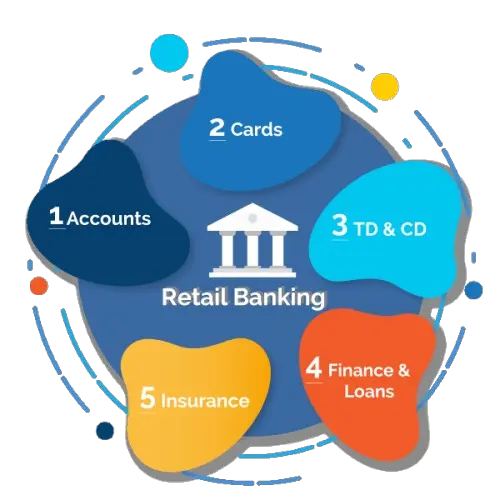
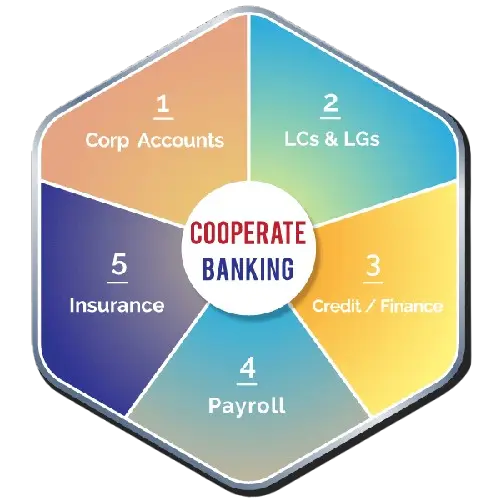
Digital-Sales & Onboarding Platform Modules

Product Browsing and Comparisons

Study/Customize Product Variables

Buy/Apply for Product

Upload Required Documents

Pay/Transfer Required Amount

Bank Verification

Internal Workflow/API

Two way Deal Discussion/Chat

Single Branch Visit by Appointment
How eBSEG Digital Sales Platform works
- Reusable components that can plug together to form each product flow.
- Define any new product from Admin Control Panel using the existing components..
- What if we need to customize a competent, eBSEG Development team will do this for you and add the new component to your deployment for reuse in current or any future product.
- Check any change of flow or any new change on a Staging Env and using Platform Publishing Tools to deploy it to Production without any need for IT or Vendor involvement.
- Check this link to know How Digital Sales and Onboarding Platform works at NBE
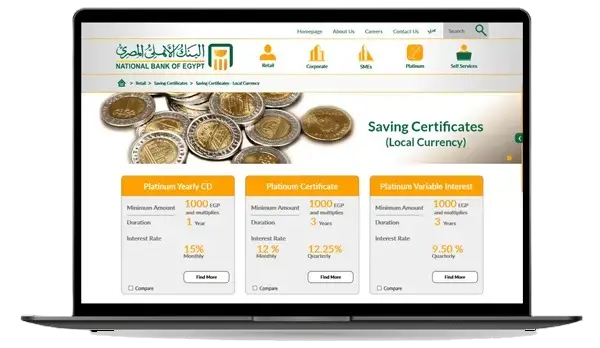
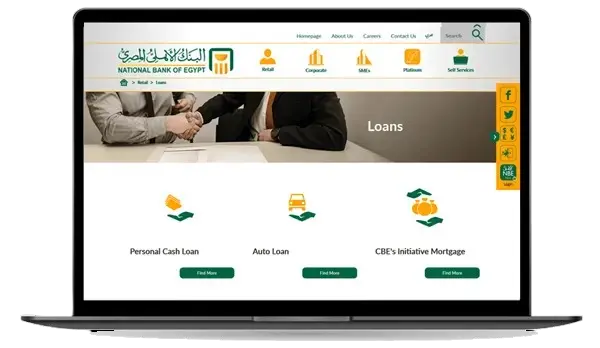
Step1: Product Browsing & Comparisons
Define All Products that will be in the Sales System
- Personal Cash Finance/Loan
- Auto Finance/Loan
- Home Finance/Loan
- Cards
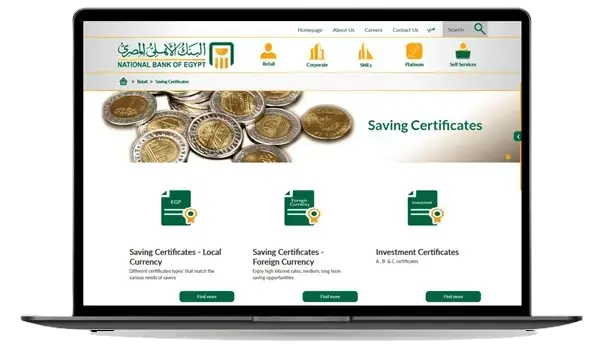
Product Catalog
Dynamic Products Module Certificates
- Online purchasing for certificate
- Uploading all documents
- Online Chatting with Bank employee
Step2: Study Product Details
Target Loan/Finance Types
- Home Finance/Loan
- Car Finance/Loan
- Personal Finance/Loan
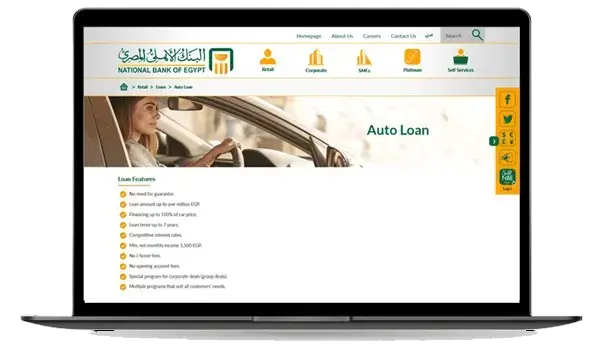
Study Product Details
Loan/Finance Calculators Types
- Flat Interest Rate Calculator
- Islamic Finance Calculator
- Customizable
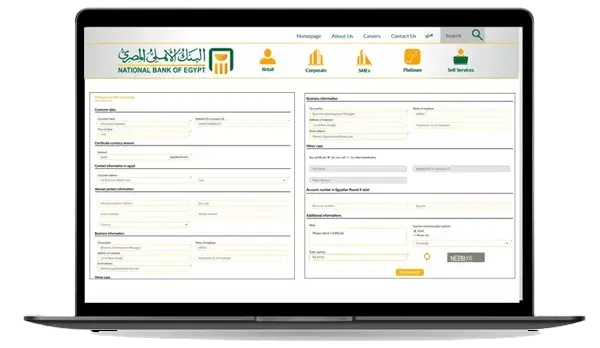
Step3: Buy/Apply for Product
- Each Product or Product Group Support a pre-built eForm.
- eForm Support Lookups to let customer select from valid values.
- For Non-Customer get all info.
- For existing Customer get minimal info.
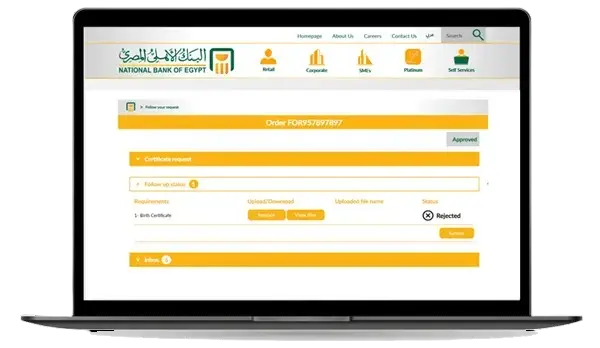
Step 4: Upload Required Documents (Optional)
- Either Ask customer to upload documents needed
- Or Retrieve Customer Documents from National eSignature Services/Archives or Both.
- All uploaded document as checked with Anti-Virus on a separate server before adding the documents to Database.
- Bank Operations Team Later can add Ad-Hoc documents requests to customer based on his specific case.
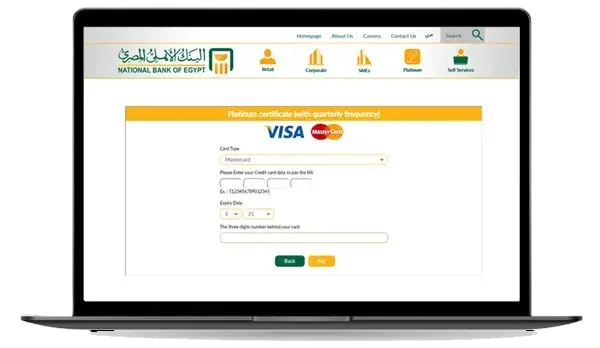
Step 5: Pay/Transfer Required Amount
For Non – Customers get Product Cost or Fees or Account
Minimum opening amount using
- Credit Card
- Swift Transfer
- Fawry/SADAD Payment
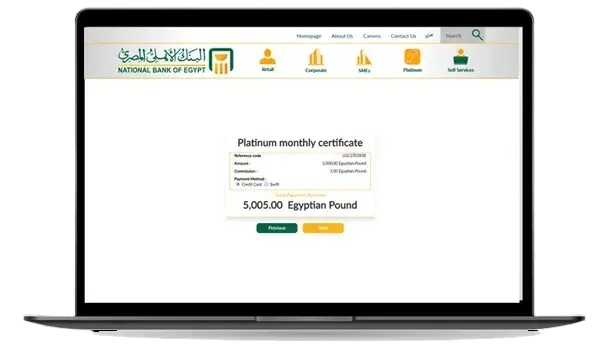
Pay/Transfer Required Amount
For Existing Customers get Product Cost or Fees or Account
Minimum opening amount using
- Minimum opening amount using Customer Account.
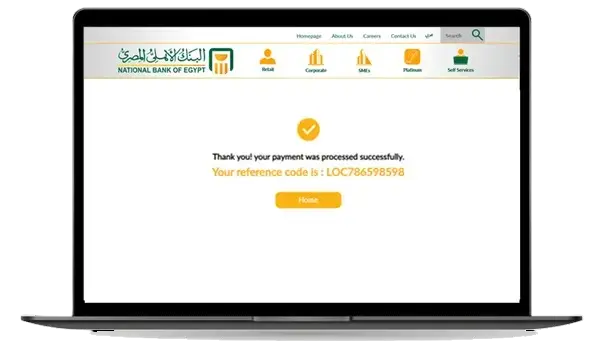
Step 6: Bank Verification
- iScore/Semah (KSA) Check (Automated if possible).
- Check AML Systems (Anti-Money Laundry Systems).
- Check Eligibility Business Rules.
- Uploaded Document verification By Humans.
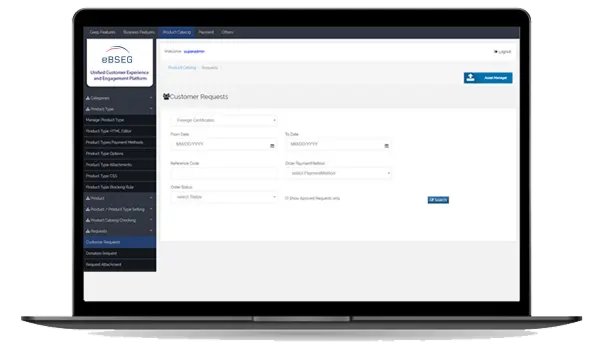
Step 7: Internal Workflow/API
- Either use STP (Straight Through Processing) API if existing.
- Integrate with CRM or other workflow/Tracking System.
- Integrate using RPA (Robotic Process Automation).
- Humans operations team either Central or Branch distributed interact with core system and update Digital Sales with Status Updates and Results(Totally Offline).
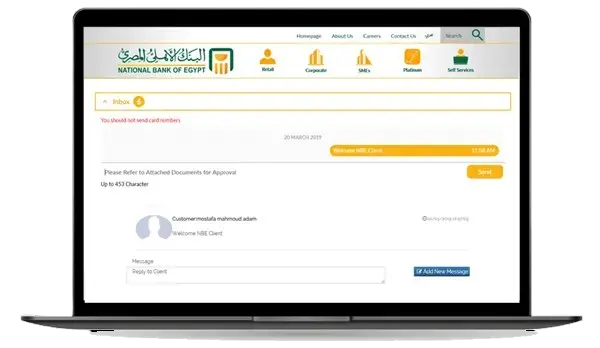
Step 8: Two way Deal Discussion/Chat (Optional)
- Customer Can use the Request Reference number to view the Requests Status.
- Customer can also register and login and view all his requests status.
- Two Way Chat
- Bank Operations Team can send/view messages to/from Customer.
- Bank Operations Team can add Ad-Hoc document requests to customer based on his specific case.
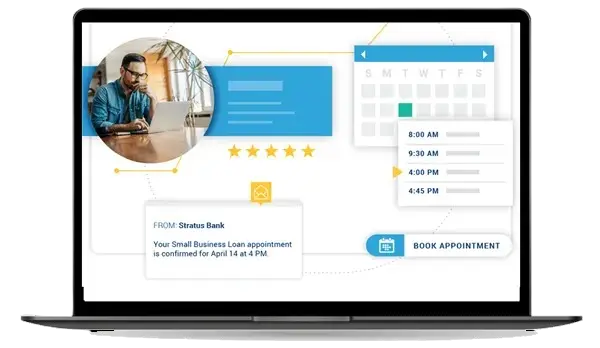
Step 9: Single Branch Visit by Appointment
- Confirm/Notify Customer Deal is Ready and Original or Ink Signature.
- Customer Select Branch and Appointment Slot.
- Branch console
-
Profiling Module
- Widgets are Mini Applications (Pure HTML5 + JS).
- Template based widgets – Unified Code Logic.
- Widget Collapsing, Expanding, showing/hiding facilities.
- Touch/Mouse Based UI (Desktops, Mobiles & Tablets).
- Easy Portal Management for organization by Channel / Customer Group.
- Customer Personalization “move & arrange” widgets using fingers or Mouse.
-
Loyalty Module
- Widgets are Mini Applications (Pure HTML5 + JS).
- Template based widgets – Unified Code Logic.
- Widget Collapsing, Expanding, showing/hiding facilities.
- Touch/Mouse Based UI (Desktops, Mobiles & Tablets).
- Easy Portal Management for organization by Channel / Customer Group.
- Customer Personalization “move & arrange” widgets using fingers or Mouse.